

Motion Inspector
Ever wondered exactly how that card slides in, which ease that button uses, or how long that fade takes? Motion Inspector reads the motion on any website and builds it in After Effects for you.
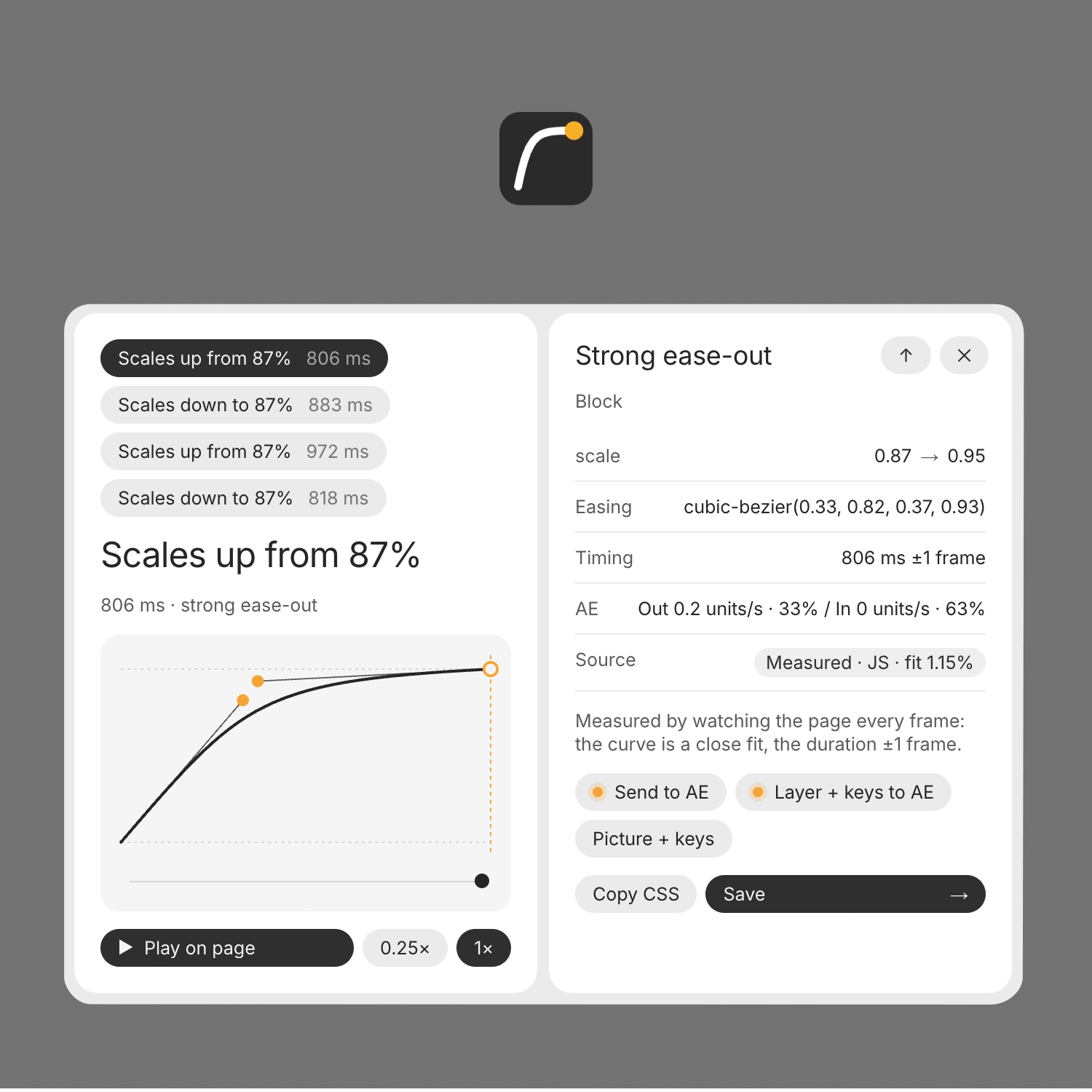
Turn it on in Chrome and everything that moves gets an outline. Click one to see what it does in plain words ("slides up 36 px and fades in"), its ease as a curve, its timing and its values. One more click and it's in After Effects:
• Real shape and text layers that look like the element, with its keyframes and the exact same ease
• Gradients, shadows, borders, blend modes, frosted glass and styled text, rebuilt as native layers
• A picture of the original on top as a guide layer, to check the rebuild against
• Or just the ease, straight onto keyframes you've already selected
It's strict on purpose: it only shows motion it can read exactly (CSS, Web Animations, SVG, clean GSAP and Motion tweens, Lottie and video) and leaves out what it would have to guess. Nothing leaves your computer: no account, no tracking.
It comes in two parts:
1. The Chrome extension, free on the Chrome Web Store
2. This After Effects panel (.zxp), plus a one-click Mac installer as a fallback and a short install guide
The extension works on its own too (curves, timing, values); the panel is what brings it into After Effects.
Requirements:
• After Effects 2024 or newer, on Mac or Windows
• Chrome
This is an early version, made by a motion designer on the side. Feedback is very welcome: tell me what worked, what didn't, and which sites you tried.